
If you’re not thinking about an AI curriculum for your child...
Here’s why you should think again.
AI is here to stay and your child will live in a world where rapidly growing tech is front and center. You can’t ignore it, but you also don’t want to spend $1,000 on a curriculum that turns out to be mindless, dopamine-inducing screen time.
What if there was a coding language to express your child’s bent towards creative writing and storytelling? One that was simple enough for you to learn alongside them, robust enough to prepare them for more complicated coding languages, and flexible enough to bring their story to the screen - while being the perfect training ground to build foundational AI skills?

While I taught project-based learning in public schools I noticed that unstructured, visually-heavy programs usually left students playing without actually creating anything, or dare I say, without learning anything.
Then I came across something special...
Ever heard of Zork?
If not, congratulations on being less nerdy than me.
It's a game where you get words telling you where you are and a cursor that blinks as if to ask "What's next?"
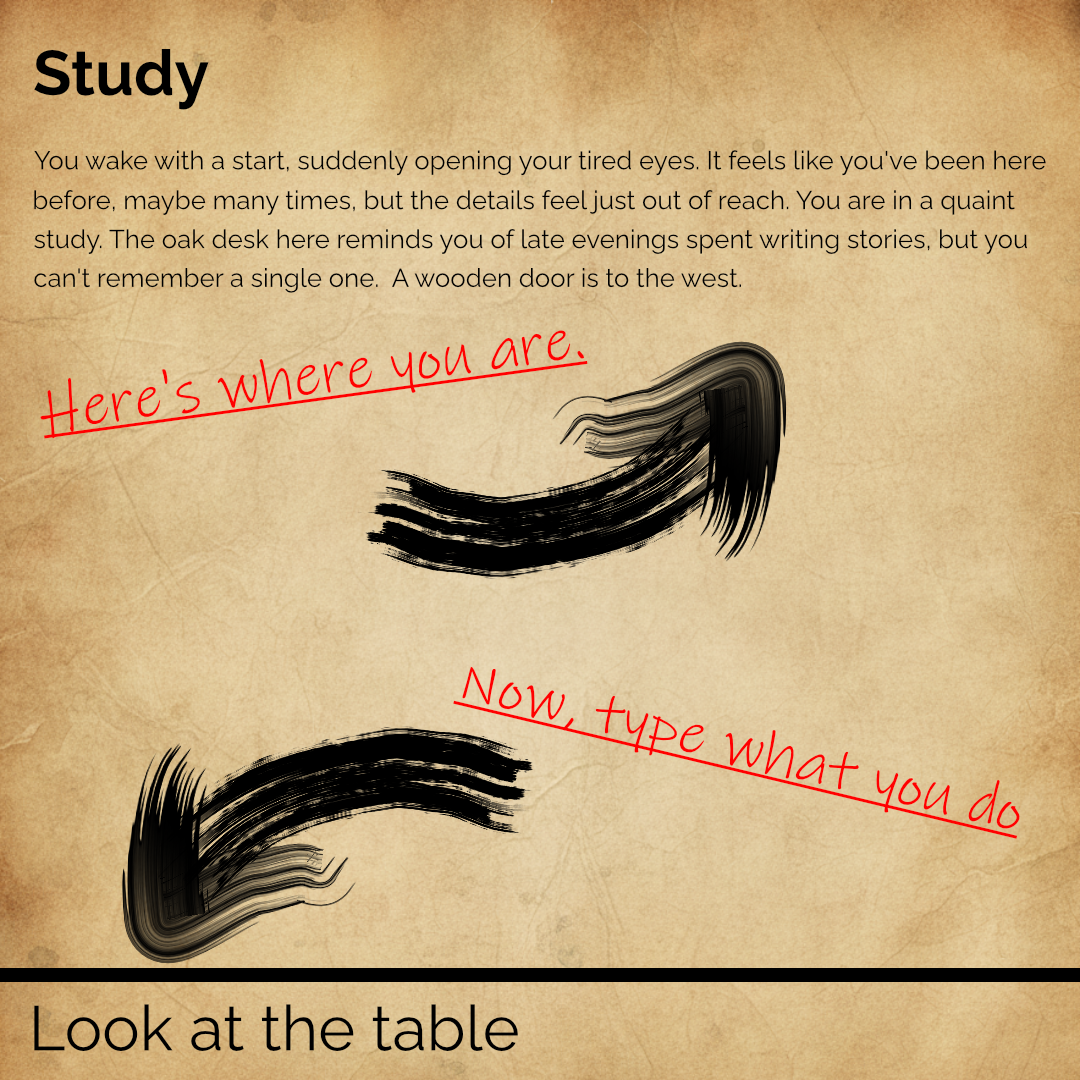
No virtual coins clinking.
No dizzying explosions.
No ignoring you because they almost won.
Just story telling, exploration, puzzle solving, and the occasional pinch of cheeky humor.
Okay, so we avoid addictive, mindless screen time by needing to read, understand, and act... But they're not going to just play a game, right?
No.
They're going to write one.
During each of the 10 lessons, your child will watch a short video and then demonstrate what they learned through a coding challenge. Each challenge builds on the last so they will finish lesson 10 with their first text-based game.
Except, that doesn’t change the fact that you’re completely new to coding (and, frankly, a little intimidated by the idea). Maybe you’re bouncing between teaching several kids so, realistically, you’re not going to watch all of these tutorials. You might be wondering…
If you can’t watch the videos along with your child, don’t panic. We’ll give you the structured curriculum you need to follow along and help. But do you know the best way to see if they’re learning?
Play their game.
You’ll get instant feedback. And, trust me, when they watch you play they’ll want to pull their hair out that you’re missing something that is so obvious to them. The second you get off the computer, they’ll jump on and make their game better for the next play-through.
Your child will have a working game from day 1 and as the course continues, their game will grow. Plus, if they get stuck, they’ll have access to Code Your Adventure’s AI Debugger and AI Puzzle Builder you can use any time to help.
Learning sticks when students build something that solves a real problem. The project-based approach of planning a story, translating it to code, breaking problems down to their parts, recognizing patterns, and making a solution one step at a time make this a powerful tool for learning and self-expression. Then, pile on the stakes of not wanting their siblings or friends to play a boring game and what you get is an interactive, iterative learning experience that is the perfect gateway into more complex coding languages. All while your child’s story comes to life.
Besides the story piece, aren’t those things true of every coding education platform?
Pretend you want your player to start in an empty room called the Dusty Attic.
Lets compare Inform7 (the language we’ll learn) with the common coding language called Python.
| Inform7 | Python |
The Dusty Attic is a room. “You are in a stuffy, dusty attic.”. |
class Room: def __init__(self, name, description): self.name = name self.description = description self.exits = {} self.items = [] def display_room(self): print(f"\n--- {self.name} ---") print(self.description) if not self.items: print("There is nothing of interest here.") else: print("You see:") for item in self.items: print(f"- {item}") dusty_attic = Room( "Dusty Attic", "You are in a stuffy, dusty attic." ) |
Wait, that is way too simple. How could something like that possibly teach my child how to code?!?
A good piano teacher doesn’t put Chopin in front of a beginner and a good tee-ball coach isn't throwing 90 mph fastballs.
Instead, they break the skills down to the smallest, manageable pieces and build wins from there.
But, simplicity doesn’t mean fluff.
Here are just a few of the coding skills your child will use as they create their adventure - ones that will refine their thinking if they don't end up coding but will lead nicely into more complex languages if they do:
Declarative Assertions - Defining rooms, things, and direction.
Syntax - Specific use of quotations, colons, semi-colons, periods, commas, and sentence structure.
Conditional Logic - If, else if, else, or, and, at random, and or statements. (Phew!)
Handling - Creating and defining new verbs for players to use.
Properties - Categorizing objects and giving them common characteristics.
Space Modeling - Creating nested locations with parts of things, doors, and hidden objects.
And so many more…
I will teach your child how to think like a coder and AI prompt engineer while they build a game they can share with their friends. But, since they'll be using the words and sentence structures they're used to, the transition couldn't be easier if your child is an absolute beginner.
Plus, you’ll get all of the cross-curricular, off-screen activities (that don't come with the other coding education schools) like storyboarding, map-making, and writing that comes with world-building.
Since any 10-year-old with internet access can make an app, what’s the point in learning to code? Talk to coders and you’ll quickly find out that even though AI has gotten much better at making working prototypes, it often writes messy, clunky code that’s hard to work with now and even harder to change later. That means the fundamentals of going from idea to thing still holds. But, we can’t ignore AI either. We’ll build mini-AIs to help us refine and organize our story ideas, fix our code, and suggest solutions when we get stuck. In other words, we won’t talk to AI and it write code for us (also known as vibe coding) - we’ll learn to build simple, trained AI (called agents) that can solve specific problems, be a coach and thought partner when we get stuck, and do the time-consuming, repetitive tasks for us.
Except how do I know if this is right for my child?
Maybe you’ve bought an online curriculum before and as good as it sounds in theory, your kids just aren’t into it. You’re not alone. I designed 10 Days to Code Your Adventure as the perfect trial run to see if your creative kid likes learning to code and use AI while they build a game before jumping all in.
So, what will they learn?


We know you're probably teaching more than one child, so you get everything here for the whole family - including lifetime course access for the kiddos who still need a few more years.
Lifetime Access* to 10 Days to Code Your Adventure Video Course ($197 Value)
4 livestream lessons where you can tune in to ask questions and code along with a coach ($149 Value)
Lifetime Access* to AI Adventure Starter ($19 Value)
10 parent-friendly, easy-to-use lesson plans and PDF worksheets to guide off-screen learning ($49 Value)
Total Value: $414
You Can Sign Up Today For $89!
I believe that the skills your child will learn through Code Your Adventure will give them an outlet and an edge. Still, I don’t like wasting my money and I don’t want the feeling that you might waste yours to stop your child from participating. So here's our promise to you.
If you feel like your child gave an honest effort to follow everything in the Code Your Adventure Cohort and wasn’t able to create an interactive fiction game, email us within 30 days of your purchase and we'll send you any info that you feel like you're missing on top of a full refund.
Since this is just the start of your child's journey, we'll discount the full price of this course off your next 1:1 coaching session, cohort, or course purchase.
I don’t know how long I’m going to live or how long you will, so you get access for the lifetime of the course. I have no intention of taking it down, but if we ever do, we’ll give you one year notice. Plus, you get free upgrades as we improve the course over the years. Enjoy!
But spots are limited, so press that orange button so you don't have to wait for the next round.
Don't worry! Drop your email and we'll reach out about our next session.